

Format decision guide
Motion graphics vs animation vs video: what do you actually need?
Motion graphics animate designed elements. Animation is the wider category. Live-action video records real people, products or places.
The right choice depends on what must be communicated, which assets exist and where the work needs to perform.
Published
The useful distinction
What needs to be created, and what needs to be captured?
Motion graphics put graphic-design elements into motion: type, icons, charts, diagrams, interfaces, logos or a complete brand system.
Animation covers a wider range of created movement. It includes motion graphics, but can also involve characters, objects, illustrated environments, frame-by-frame work and 2D or 3D scenes.
Live action records something in front of a camera: a person, product, location, performance, event or physical process.
Video is the delivery medium rather than a separate animation method. A video might be entirely live action, entirely animated or assembled from footage, sound, graphics and several animation techniques.
In the same way, an explainer describes the job a piece needs to do. It does not determine how the content must be produced.
Compare the approaches
The practical difference is what the audience needs to see.
| Production approach | Strongest when | Common uses | Main dependency |
|---|---|---|---|
| Motion graphics | Information, identity or abstract ideas need movement | Titles, data, explainers, campaign assets, event screens and social content | A clear message and visual system |
| Illustrative or character animation | A narrative, behaviour or imagined world needs to be shown | Stories, scenarios, education and demonstrations | Storyboards, illustration and animation scope |
| Live action | Real people, places, products or atmosphere matter | Interviews, testimonials, demonstrations, event footage and product films | Access to contributors, products and locations |
| Hybrid | Reality needs explanation, structure or a stronger brand layer | Product films with graphics, event promos, case studies and launch content | Coordination across footage, editing and motion |
These are guides rather than fixed boundaries. The more useful question is which parts of the communication need to be recorded and which need to be designed.
Video output
Live action
Footage, people, products and places.
Hybrid
Footage combined with animation, typography, charts or call-outs.
Animation
Characters, illustrated scenes and created movement.
Motion graphics
Typography, charts, diagrams and brand elements.
Motion graphics
Choose motion graphics when designed information needs to move.
Motion graphics are a strong fit when the subject is abstract, digital, data-led or difficult to film.
A process, service, interface or set of figures may be clearer when the explanation is built from typography, diagrams, charts and controlled movement. The information can be introduced in a deliberate sequence rather than left as a static slide or dense block of copy.
Motion graphics can also help an established identity move consistently across a campaign. Existing colours, type, shapes, imagery and graphic elements can become a motion system for a main film, social edits, launch announcements, presentations or event screens.
They can sit over filmed material too. Titles can establish structure, call-outs can identify product features and diagrams or data can explain something that the footage cannot show on its own.
See how OnPoint approaches motion graphics and animationBroader animation
Choose broader animation when the world needs to be created.
A broader animation approach is useful when the idea depends on a character, behaviour, scenario or visual world that does not exist in front of a camera.
That might be a customer journey, a safety scenario, an imagined future use or a product that has not yet been manufactured. Animation can show actions and relationships that would be impractical, unsafe or impossible to film.
Illustration may also be central to the idea. A distinctive visual world can carry the tone of a campaign or help simplify a subject without pretending to show literal reality.
There is no absolute boundary between motion graphics and other forms of animation. The distinction matters because created scenes, characters and narrative sequences change the amount of concept development, asset creation, storyboarding and animation required.
Live action
Choose live action when seeing the real thing matters.
Live action is useful when the audience needs to see a real person, product, location, performance or physical process.
An interview depends on expression and delivery. A product demonstration may need to show scale, handling or material detail. Event footage can communicate atmosphere. A machine operating or a space in use may provide evidence that graphics alone cannot.
Live action is not automatically more authentic. Generic footage, an unsuitable location, an uncomfortable performance or an unclear demonstration can still weaken the communication.
Use it when reality contributes something useful to the message, not simply because a camera is available.
Hybrid production
Most campaign work does not need to stay in one box.
A product film might use filmed or rendered imagery with animated call-outs.
An interview can include titles, charts and supporting diagrams.
An event trailer can combine footage, campaign typography and sponsor graphics.
An explainer can use interface capture, narration and motion graphics.
A launch campaign might establish one central visual system, then adapt it into films, social content, screens, landing pages and presentation assets.
Each element needs a role. Footage shows what exists. Editing controls the sequence. Motion graphics explain, label or connect the material.
OnPoint can coordinate graphic design, motion and web where the brief benefits from it. A single animation, a group of campaign adaptations or motion added to an existing edit can still remain a focused scope.
Selected examples
Different briefs, described without forcing them into one category.
These captions describe the work that is publicly verified. They do not claim that each piece uses one pure production technique.
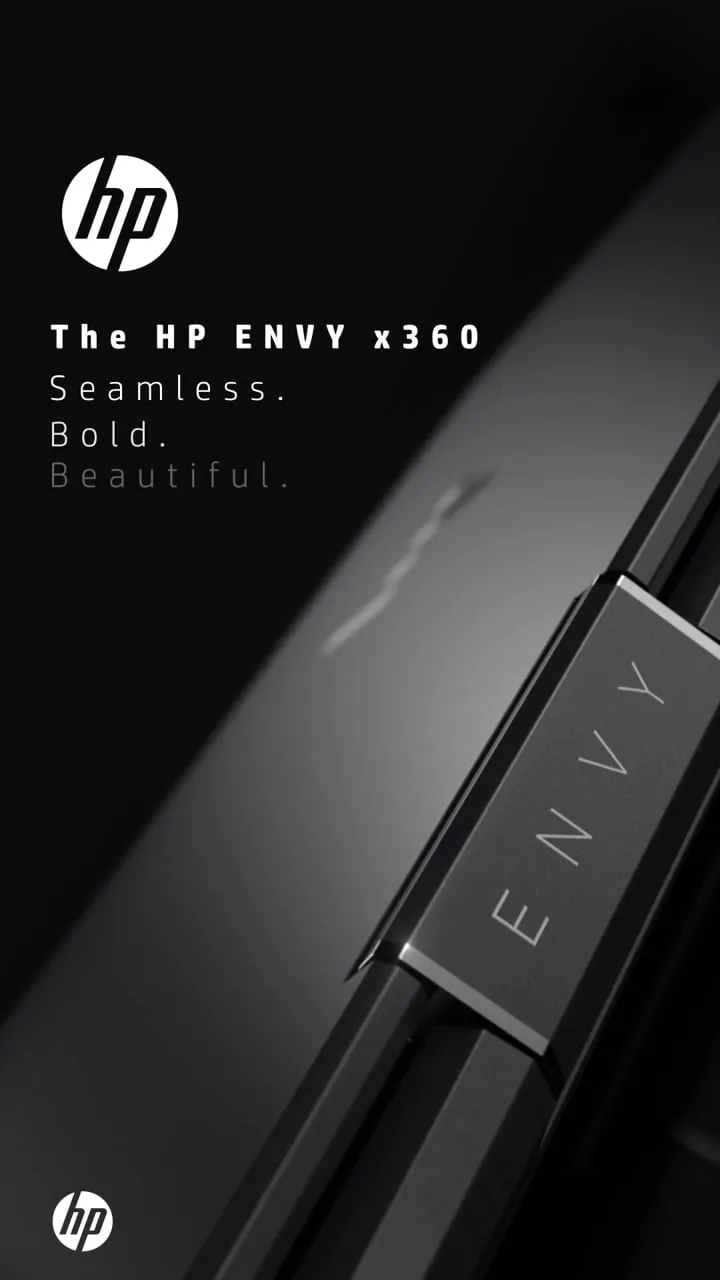
HP Envy x360
A vertical product film created around the product and its presentation.

Gillette and Sky Sports Pass
A short promotional film combining football imagery with prominent campaign typography.
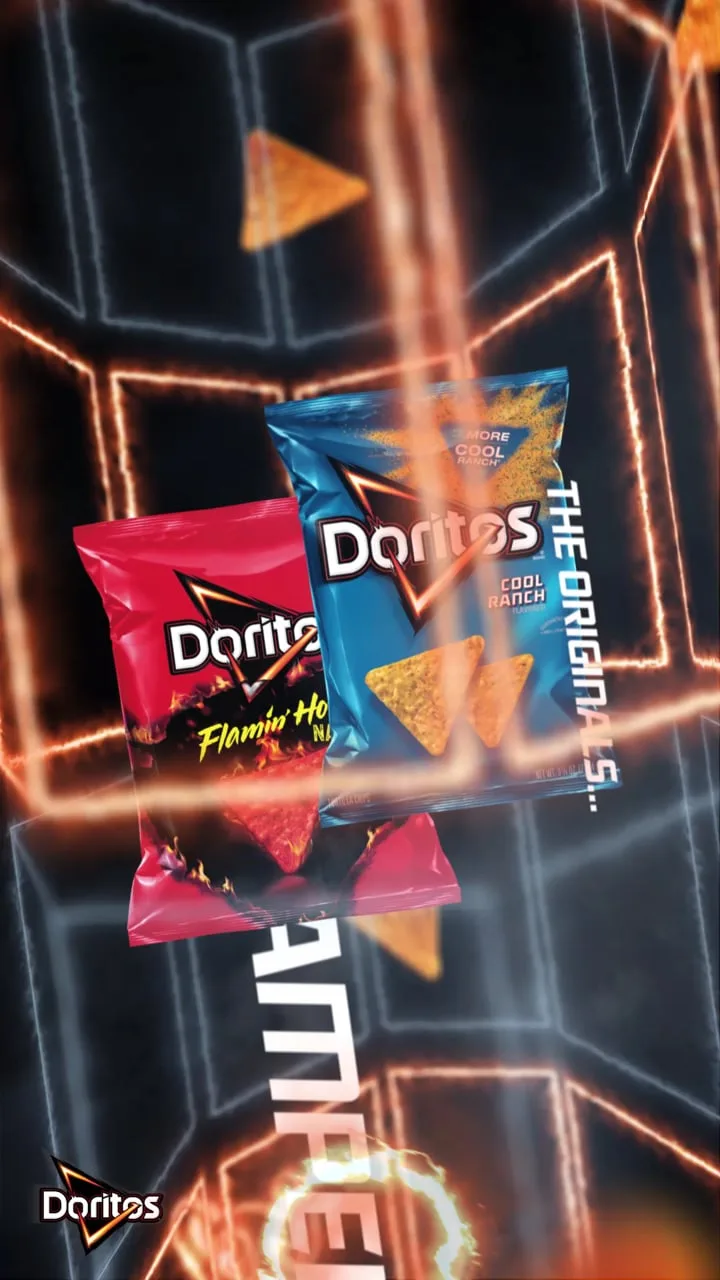
Doritos
A short promotional piece created for social content.
Make the choice
Decide from the communication problem.
Start with the decision the audience needs to make, not with a preferred technique.
- 01
What must the audience understand, feel or do?
- 02
Does the audience need to see a real person, place, product or process?
- 03
Does that subject exist, and can it be filmed clearly and safely?
- 04
What brand files, footage, photography, illustrations, data or source files already exist?
- 05
Where will the content appear, and under what viewing conditions?
- 06
Will it need different durations, aspect ratios, languages or campaign versions?
- 07
Who supplies and approves the script, claims, data and source information?
- 08
What launch, campaign or event date is fixed?
Events and campaigns
For events, the format is usually a system rather than one video.
An event campaign may need launch and ticket-push social assets, artist or speaker announcements, sponsor graphics, venue holding screens, animated titles, countdowns, stage transitions, trailers, recap edits and landing-page content.
Some pieces may use footage. Others may be entirely graphic. A live event might also produce new material that becomes useful during and after the event.
What connects the work is a consistent identity, information hierarchy and approach to movement.
A sponsor announcement does not need to resemble a stage transition in every detail, but the audience should still recognise both as parts of the same event campaign.
See Event Graphics and Campaign DesignPrepare the brief
Start with where the content needs to work.
A useful brief does not need to prescribe the technique. It should explain the communication problem and the environment in which the work will appear.
- the objective and intended audience
- destination channels and technical specifications
- duration and required variants
- the message, draft script or source content
- existing brand assets
- available footage, photography, illustration and data
- references and what is useful about each one
- the people responsible for feedback and approval
- the fixed launch, campaign or event date
Send original and editable files where they exist. That might include logos, brand guidelines, presentation files, design source files, footage, data or existing campaign artwork.
Unknowns are acceptable. Mark them as decisions to resolve rather than filling the gaps with assumptions.
Use the design brief checklistChoose the format the communication needs
Evidence, explanation or both?
Choose motion graphics when designed information, data or brand assets need to move.
Choose broader animation when the idea depends on created scenes, behaviour or narrative.
Choose live action when seeing reality matters.
Combine them when the audience needs both evidence and explanation.
Share the audience, destination, available assets and deadline. We can help define the useful format before production begins.
Practical details
Motion graphics, animation and video FAQs.
Are motion graphics a type of animation?
Yes. Motion graphics are generally a form of animation focused on graphic-design elements such as typography, shapes, logos, diagrams and data.
A project can also combine motion graphics with illustrative, character-based or three-dimensional animation.
What is the difference between motion graphics and video editing?
Video editing selects and arranges footage, audio and other material into a sequence.
Motion graphics create and animate designed elements. The two frequently work together, with editing establishing the structure and motion graphics adding titles, information, transitions or visual explanation.
Can motion graphics be added to filmed video?
Yes. Titles, labels, charts, diagrams, interface elements and transitions can all be integrated into filmed material.
They should be planned around the edit and the information the audience needs rather than added as decoration at the end.
Are motion graphics cheaper than animation?
Not automatically.
Cost depends on the duration, complexity, asset creation, 2D or 3D requirements, sound, number of versions, review process and condition of the starting material.
A restrained illustrative animation may require less work than an elaborate motion-graphics piece. The format name alone does not determine the budget.
Do I need a finished script before contacting a studio?
No. A clear objective, audience, source material and deadline are enough to begin a useful conversation.
The scope should then establish who will develop, review and approve the script before full production starts.
Can one piece be adapted for social media and event screens?
Often, but those adaptations need planning.
Aspect ratio, viewing distance, duration, sound, text size and audience context can differ significantly. A central visual system can support several versions without treating every output as an identical resize.
What files and information should I provide?
Share the current message or script, brand guidelines, logos, fonts, footage, photography, illustrations, data, references, technical specifications, deadline and approval process.
Original or editable source files are usually more useful than flattened previews.
Can OnPoint work within an existing brand?
Yes. Existing colours, typography, imagery and graphic elements can be translated into a suitable motion direction.
Where the brand system is limited, an appropriate visual approach can be established for the agreed work without automatically turning the project into a complete rebrand.